
A weekly Instagram plan for a busy restaurant
RestoPhoto Team · August 26, 2026 · 4 min read
Start with the dishes you can photograph before service this week. Choose a quiet moment, ask one person to take the photos and put the files in a folder the person posting can find. You can build a useful week of posts from that small collection.
Decide what a guest needs to know
Pick the reason for each post before you take the picture. A new dish needs a clear view of the portion and a short description. A weekend special needs its dates. A post about lunch should make it easy to find the hours and book or order.
Check the profile before adding more posts: the location, opening hours and booking link should be current. Open the link on your phone and follow it as far as choosing a table or viewing the ordering page.
Make a short shot list for prep
- Photograph two or three finished dishes. Use the portions and garnishes you will actually serve, with the whole plate visible in at least one shot.
- Record one finishing action vertically, such as pouring sauce or adding herbs. Keep the phone still and leave a moment before and after the action so you can trim the clip.
- Take one photograph of the dining room or a detail that helps someone picture a visit. Ask before including a member of the team.
Use the same clear surface for the dish photos and check one enlarged image before moving on. If the sauce is out of focus or the plate is cut off, reshoot while the dish is still there. Save the original files rather than passing screenshots between phones.
Use four possible slots, then adjust
The following schedule is a starting point. If two posts fit your week, use two. Leave time to answer the questions they bring in.
- Tuesday: a finished dish, with its name and the detail a guest would ask about.
- Thursday: the short preparation clip, trimmed to show one complete action.
- Friday: the weekend special, including when it is available and how to book or order.
- Sunday: the dining room, the team with permission, or an update about the coming week.
Avoid saving an announcement until the last moment. A guest planning Friday dinner needs the details while there is still time to make a reservation. If a special sells out, update the post or add a clear notice.
Write captions someone can act on
Describe what is on the plate in ordinary words. Include the name, the main ingredients and any availability that matters. Add a price only if it is current. End with the relevant next step, such as the booking link or the ordering page.
For example: “Tagliatelle with beef ragù and parmesan. Available Friday and Saturday evening. Book through the link in our profile.” Check those details against your own service before using the wording.
Check an edited photo before posting
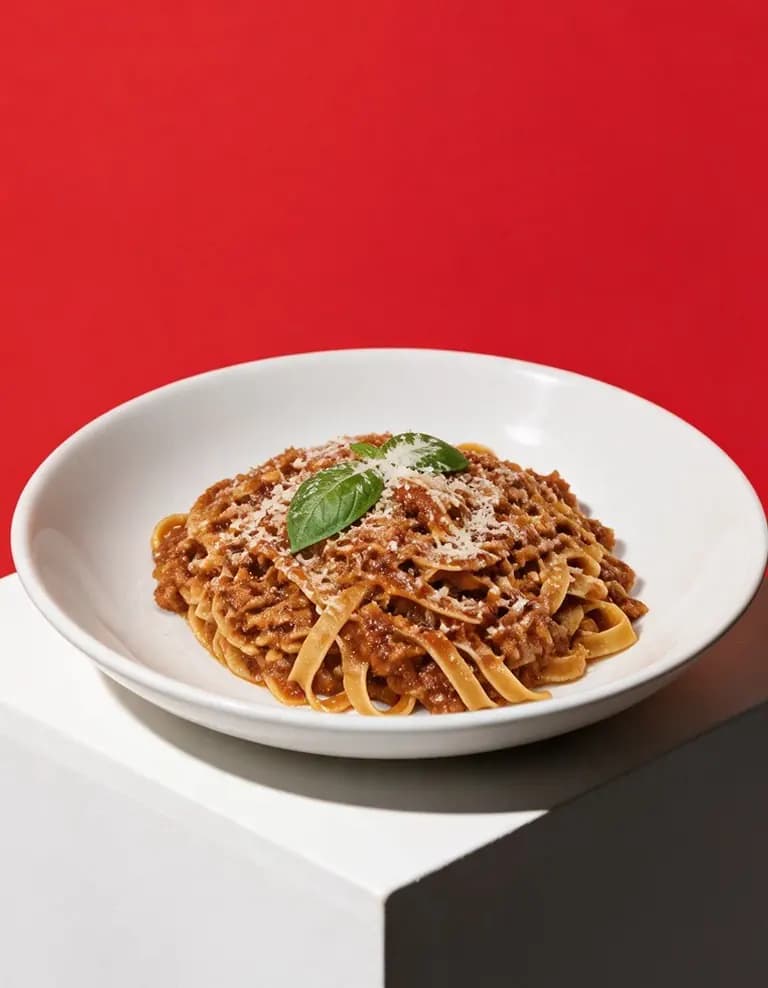
RestoPhoto can edit a dish image with a chosen style. The demonstration below uses an AI-generated input image and the Pedestal Pop style. It shows how the background, lighting and viewpoint can change.
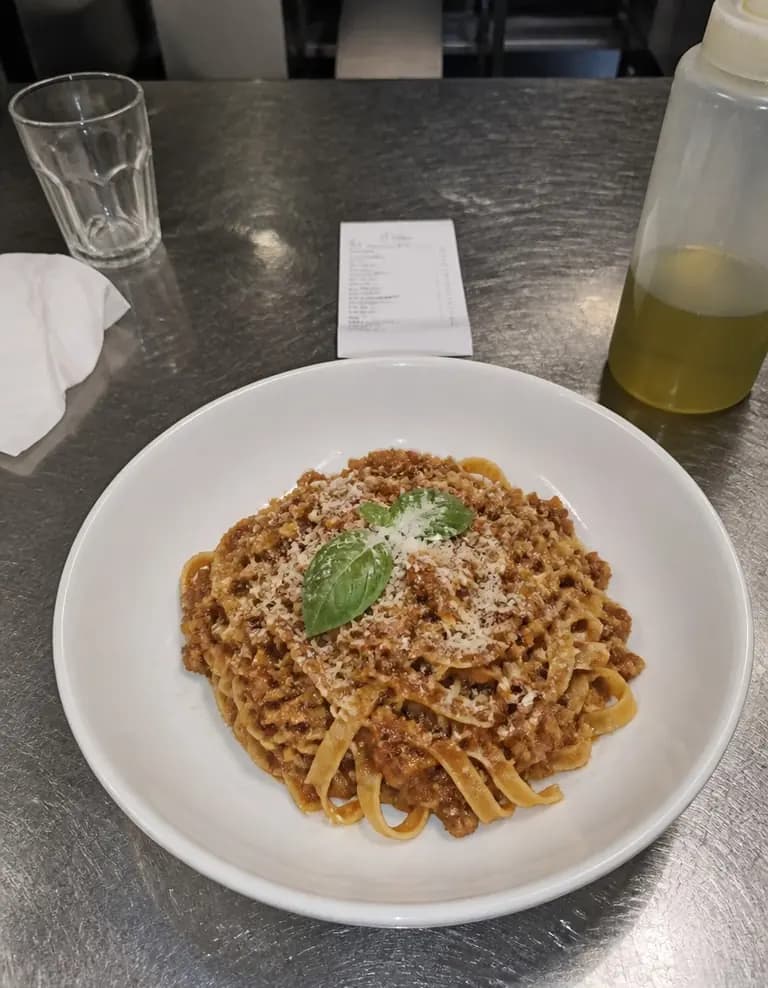
Compare the result with the source at full size. Check the ingredients, portion and plate, including small details at the edges. If the edit no longer represents the dish you serve, choose another result or use the original photo.
Keep a record of useful responses
Once a week, note which posts brought relevant questions, profile visits or clicks towards booking and ordering. Keep enquiries and confirmed bookings separate. A view count alone does not tell you whether someone visited the restaurant.
Compare similar posts over several weeks before changing the routine. Keep the dishes and formats that produce useful responses, and check whether the work still fits the time available before service.
Try RestoPhoto with your own photo
Upload a dish photo and choose a style. Compare the result with the original before publishing.
Try RestoPhoto