
Facebook cover photo size in 2026 for a restaurant Page
RestoPhoto Team · October 24, 2026 · 5 min read
Meta's help center says a Facebook Page cover loads fastest as an sRGB JPG of 851 × 315 pixels, under 100 KB. The cover must be at least 400 × 150 pixels. Facebook shows it in a 16:9 shape on computers and in a 2.4:1 shape on phones. Your profile picture covers part of its left side. Upload the profile picture at 320 × 320 pixels. Facebook crops it to a circle.
For feed posts, Meta's ads guide recommends a 4:5 image of 1440 × 1800 pixels. For Stories, it lists 9:16 at 1440 × 2560 pixels.
| Image | Shape on screen | Size from Meta | Watch for |
|---|---|---|---|
| Cover photo, computer | 16:9 | At least 400 × 150 px; loads fastest at 851 × 315 px as an sRGB JPG under 100 KB | The profile picture covers part of the left side |
| Cover photo, phone | 2.4:1 | The same file | The profile picture overlaps the cover by about 40 px |
| Profile picture | Circle | 320 × 320 px; shows at 176 × 176 px on computers and 196 × 196 px on phones | The circle cuts off the corners |
| Feed post (Ads Guide) | 4:5 | 1440 × 1800 px, JPG or PNG, up to 30 MB | Minimum width 600 px |
| Story (Ads Guide) | 9:16 | 1440 × 2560 px, JPG or PNG, up to 30 MB | Keep about 14% at the top and 35% at the bottom free of text |
Meta Help Center: Facebook Page profile picture and cover photo dimensions
Meta Ads Guide: image specs for the Facebook feed
Why the cover still matters
Most adults in the US are on Facebook. Data in Meta's advertising tools showed 198 million Facebook users in the United States in late 2025, DataReportal reports. That is 71.4% of adults aged 18 and over. The cover is the large photo at the top of your Page, and every visitor sees it.
DataReportal: Digital 2026, United States
Where to put the dish on the cover
One cover has to work in two shapes. Meta also warns that it may crop and resize the cover for different screens. So keep the dish in the middle of the frame, with free space around it. Leave the left side plain, because the profile picture covers part of it.
You can turn Meta's two shapes into pixels. At the same width, a 2.4:1 frame is 74% as tall as a 16:9 frame, because 1.78 ÷ 2.4 = 0.74. Take a 16:9 photo of 1920 × 1080 pixels. If both views show the full width, a phone always shows the band from 280 to 800 pixels from the top. That band stays in view whether Facebook trims the top, the bottom or a little of both. This is our calculation from Meta's shapes, not a number from Meta.
- Show the dish guests come for, such as your smash burger or your brisket, inside that middle band.
- Leave text out, or use a few large words in the middle.
- Keep the logo for the profile picture. A second logo on the cover competes with it.
- Check the cover on a phone after you save it.
Take the phone photo first: iPhone camera settings for restaurant food
Upload the cover and check it
Meta makes every cover photo public. Check the photo before you save it.
- On a computer, click your profile photo in the top right, then See all profiles, and switch to your Page.
- Click Edit cover photo in the bottom right of the cover.
- Click Upload Photo and choose the file.
- Drag the photo up or down until the dish sits in the middle.
- Click Save changes.
- Open the Page on your phone and check the dish again.
Meta Help Center: add or change your Facebook Page's cover photo
Profile picture: your logo in a circle
Facebook crops the profile picture to a circle. Meta recommends 320 × 320 pixels. Facebook shows it at 176 × 176 pixels on computers and 196 × 196 pixels on phones. Use your logo here, not a dish. Leave a margin around the logo, so the circle does not cut the letters. For a logo or text, Meta says a PNG file may give a better result.
Posts and Stories
For posts, use a portrait or a square photo. Meta's ads guide recommends 4:5 at 1440 × 1800 pixels for images in the Facebook feed. At the same width, a 4:5 photo is 25% taller than a square one, so it fills more of a phone screen. Shoot tall dishes, like a burger or a layer cake, from a low angle.
Stories use 9:16. Meta's ads guide lists 1440 × 2560 pixels. It also suggests keeping about 14% at the top, 35% at the bottom and 6% at each side free of text and logos. Meta gives those margins for ads, where a call-to-action button sits over the image.
Meta's help center recommends photos under 15 MB. Keep PNG files under 1 MB, because larger ones may look pixelated.
Meta Ads Guide: image specs for Facebook Stories
Make the feed, Story and cover photos from one phone photo
RestoPhoto starts from a phone photo of your real dish. In the Studio, open Frame proportions. Pick FB Post (4:5) for the feed and FB Story (9:16) for Stories. For the cover, pick Horizontal banner (16:9) in the Classic group. Upload the 16:9 photo to Facebook, drag it into place and check it on a phone.
A finished photo takes 1 to 3 minutes, on the web, on iOS or on Android.
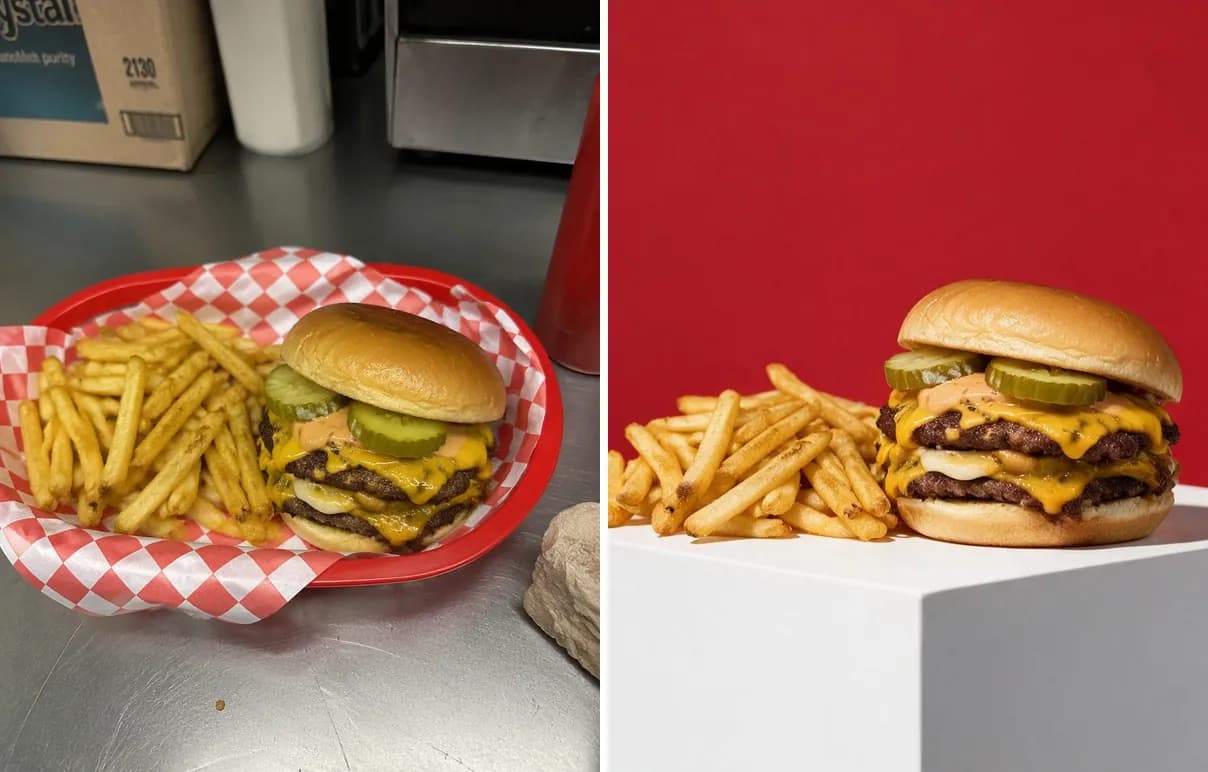
The dish stays yours. What changes is the light, the backdrop and the framing. AI can still change small details of a dish, and some styles add props around the plate, so compare the result with your original before you publish.
Try it on one of your own dishes. Your first photo is free, no card.
Try RestoPhoto on one of your own dishes
Before you upload, run the photo through the free Food Photo Checker. It checks blur, exposure, color cast, flat light and resolution in your browser.
FAQ
What size is a Facebook cover photo in 2026?
Meta says a Page cover loads fastest as an sRGB JPG of 851 × 315 pixels, under 100 KB. It must be at least 400 × 150 pixels.
What is the Facebook cover photo size on mobile?
Meta shows the cover in a 2.4:1 shape on phones and in 16:9 on computers. On phones, the profile picture overlaps the cover by about 40 pixels.
What size should a Facebook post image be?
Use 4:5 or square. Meta's ads guide recommends 1440 × 1800 pixels at 4:5 for images in the feed.
Should a Facebook cover photo be a JPG or a PNG?
Use a JPG for a photo of a dish. Meta suggests a PNG when the cover carries a logo or text.
What size is a Facebook Page profile picture?
Upload 320 × 320 pixels. Facebook crops it to a circle and shows it at 176 × 176 pixels on computers and 196 × 196 on phones.
Try RestoPhoto with your own photo
Upload a dish photo and choose a style. Compare the result with the original before publishing.
Try RestoPhoto