
Restaurant Instagram Ideas: 30 Posts You Can Make From One Menu
RestoPhoto Team · November 23, 2026 · 5 min read
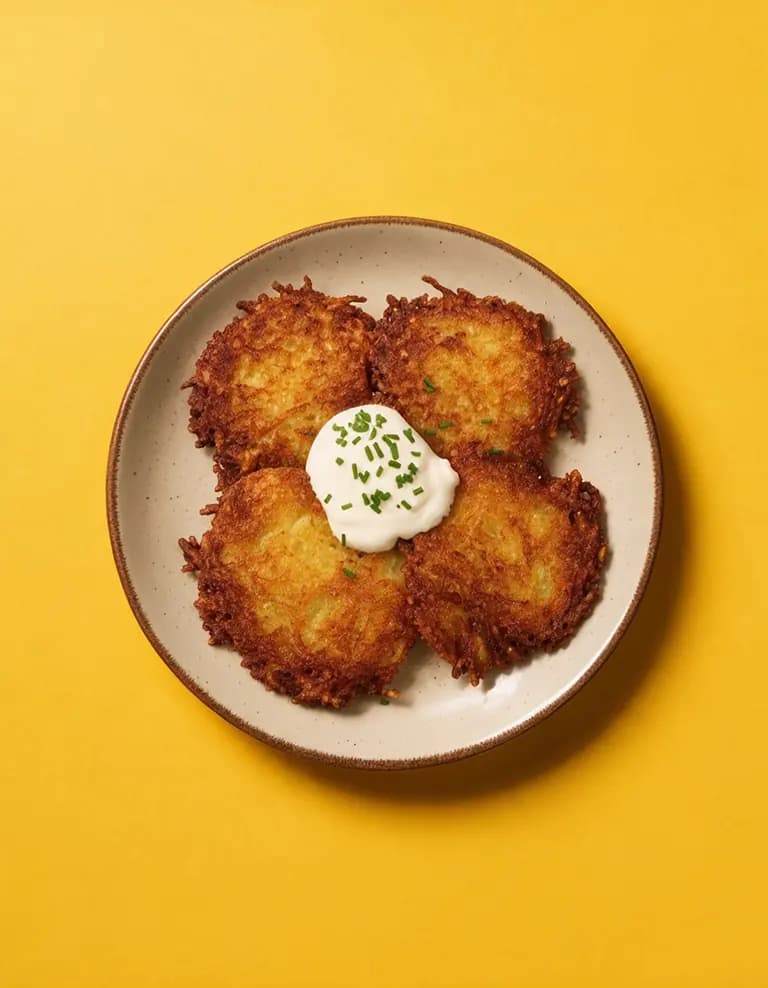
The short answer: you don't need new material every day. Your menu is already a month of content. Rotate between five types of post: the dish (hero photos, close-ups, angles), the menu (new items, prices, categories), the story (why a dish exists, who makes it), the guest (questions, polls, favorites) and the moment (specials, events, seasons). The 30 ideas below use only your menu, a phone and a little planning.
Each idea includes what to post and what makes it work. Mix them across a month and your feed won't repeat itself.
Before you start: shoot a small library
Most of these ideas need good photos of your dishes. Spend one afternoon photographing 10 to 15 dishes: flash off, near a window, whole dish in the frame, in focus, one dish at a time. Shoot each from more than one angle while the plate is fresh: overhead, 45 degrees and a low hero shot. That library covers most of the month.
The dish: 8 posts about the food itself
- The hero shot. Your best-selling dish, photographed at its best angle. Caption: what's in it, in one sentence.
- The close-up. Texture only: the cheese pull on the mac and cheese, the crust on the brisket, the crackle on a crème brûlée.
- Same dish, three angles. A carousel with overhead, 45 degrees and close-up. Carousels give people a reason to swipe.
- The cross-section. Cut the sandwich, the burger or the lava cake in half. Inside shots show what the menu description can't.
- Before and after plating. The raw ingredients laid out, then the finished plate. Works well as a two-image carousel.
- The build. A short vertical video of a dish being assembled, layer by layer.
- The pour or the drip. Syrup on pancakes, sauce over wings, a milkshake being topped. Short video, 5 to 10 seconds.
- The "you have to try this" pick. The one dish staff recommend to first-timers, posted with the reason why.
The menu: 6 posts that sell specific items
- "New on the menu." A clean photo of the new dish with its name and price. The simplest high-intent post you can make.
- The category roundup. A carousel of all your burgers, all your pastas or all your desserts, one per slide.
- Price clarity. Lunch combo, happy hour or family meal with the price on the image. Guests like knowing before they come.
- Back by demand. A seasonal dish returning. Say when it's available until.
- Last chance. A dish leaving the menu. Honest urgency works; invented urgency doesn't.
- The pairing. A dish and the drink or side that goes with it, shot together.
The story: 6 posts that give the menu a reason
- Why this dish exists. The family recipe, the trip that inspired it, the regular who asked for it. One short paragraph.
- Meet the cook. A photo of the person who makes the dish, next to the dish. People follow people.
- The ingredient spotlight. One ingredient you're proud of: the local bakery's buns, the house-made hot sauce, the smoked brisket.
- How long it takes. "Our brisket smokes for X hours" is a strong post if it's true. Use your real numbers.
- The name explained. If a dish has an unusual name, explain it. It also makes the dish easier to order.
- Prep before service. A short video from the morning prep. Real, unpolished kitchen footage works well in stories.
The guest: 5 posts that start a conversation
- This or that. Two dishes side by side, one question: "Wings or nachos?" Use a poll in stories.
- Guess the dish. An extreme close-up, and guests guess what it is. Reveal it the next day.
- Rank our desserts. A carousel of desserts, and followers rank them in the comments.
- Order like a regular. The off-menu tweak or combo regulars ask for, if you're happy to make it for everyone.
- Repost your guests. Guests' photos of your food, with their permission and credit. Ask first, every time.
The moment: 5 posts tied to the calendar
- Weekend special. Post it Thursday so people can plan.
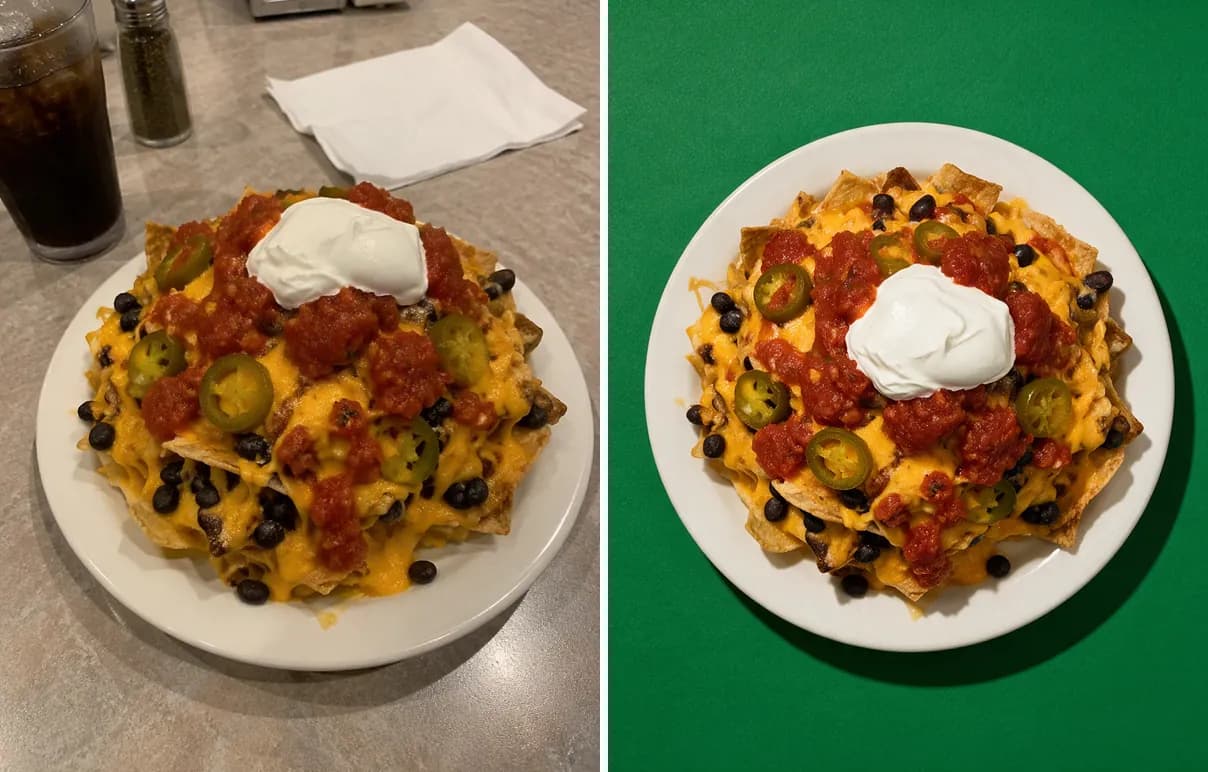
- Game day. Wings, chili, nachos, hot dogs: whatever you serve that suits a crowd, with order details.
- Holiday menu. Thanksgiving pies, a Valentine's dessert, Fourth of July burgers. Post it a week or two ahead.
- Event poster. Trivia night, live music, a tasting menu. A poster with date, time and the dish or drink featured.
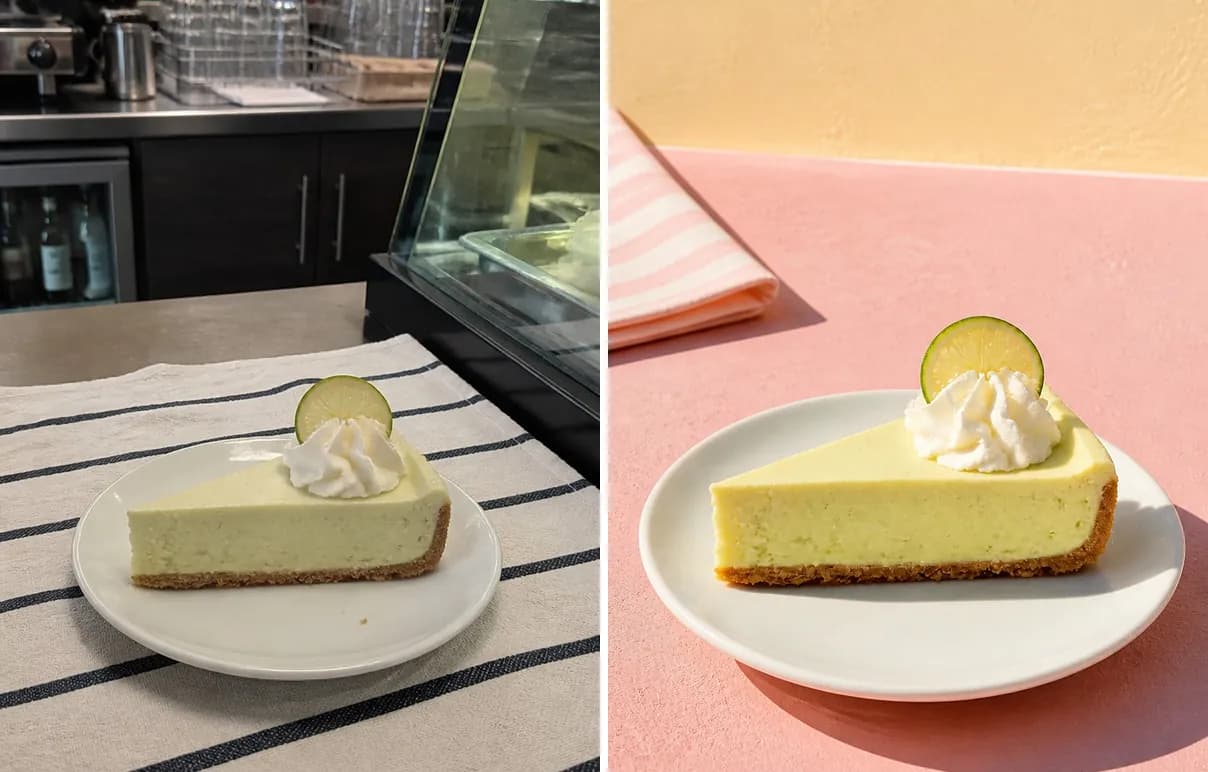
- Seasonal switch. The first soup of fall (gumbo, french onion, chili) or the first key lime pie of summer.
Turning 30 ideas into a month
You don't need to post every day. A realistic rhythm for a busy restaurant is three to five feed posts a week, plus stories when something happens. A simple weekly pattern:
| Day | Post type | Example ideas |
|---|---|---|
| Monday | The dish | Hero shot, close-up, three angles |
| Wednesday | The story or the guest | Meet the cook, this or that |
| Thursday | The moment | Weekend special, event poster |
| Saturday | The menu | New on the menu, pairing |
| Any day | Stories | Polls, prep footage, reposts |
Batch the work. Write a month of captions in one sitting, shoot in one afternoon, and schedule in advance so posting doesn't depend on a quiet moment during service.
Formats that fit each idea
- Feed photos: 4:5 vertical takes up more of the screen than a square. 1:1 works too.
- Stories: 9:16, vertical.
- Carousels: keep the same shape across all slides.
- Posters and "New on the menu" posts: keep text short and large enough to read on a phone.
Making this faster with RestoPhoto
Several ideas above map directly to what RestoPhoto makes from one phone photo of a dish:
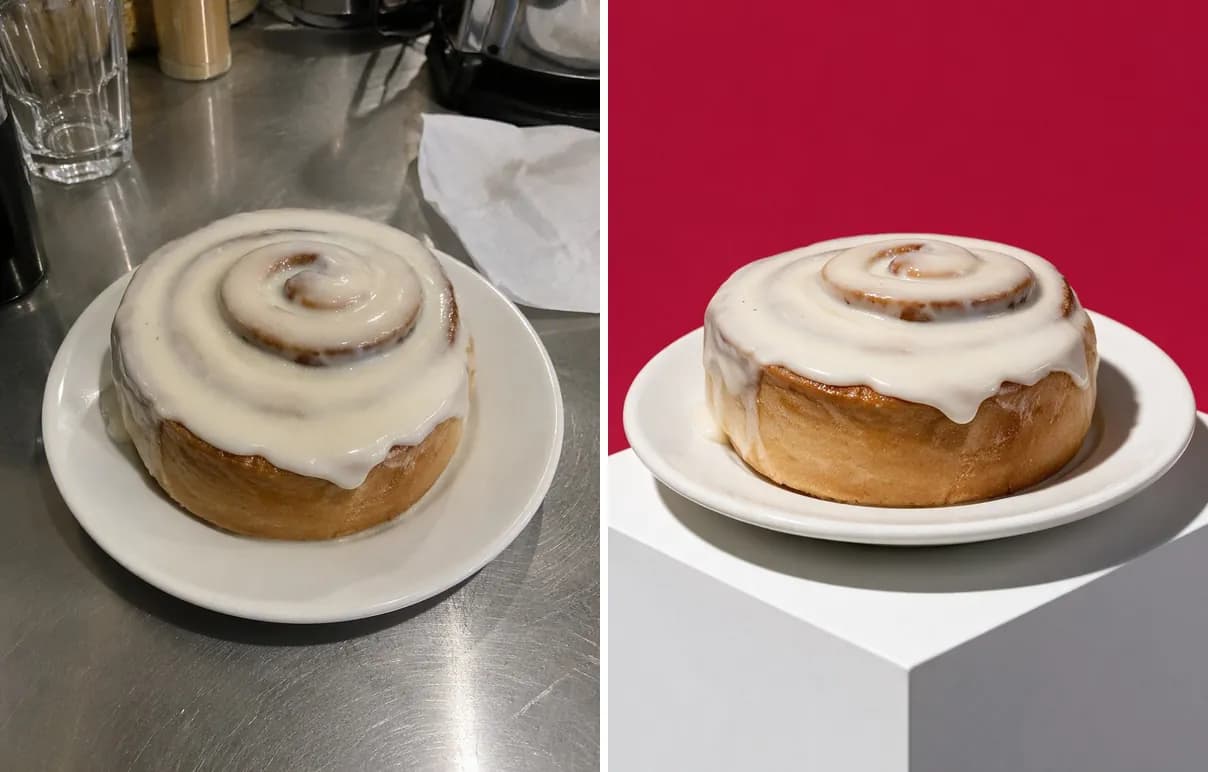
- The hero shot, the close-up and three angles of one dish: a photo session turns one phone photo into five images, four shots of the same dish (hero shot, top-down view, top-down detail, macro) plus a free collage. It uses 4 photos from your quota and takes about 8 to 14 minutes.
- The menu posts and posters (new on the menu, price clarity, events): templates turn one photo into posts, posters and flyers, including "New on the menu" with dish name and price, and event posters.
- Your logo: set it once in the brand profile and place it in any of 9 positions with the transparency you want.
The dish stays yours. What changes is the light, the backdrop and the framing. AI can change small details of a dish, and some styles add props around the plate, so compare each result with your original before you post it.
Try it on one of your own dishes. Your first photo is free, no card.
Try RestoPhoto on one of your own dishes
FAQ
What should a restaurant post on Instagram?
Mostly your food, shown well, plus the people and stories behind it. Rotate between dish photos, menu news, stories, guest interaction and timely posts like specials and events.
How often should a restaurant post on Instagram?
Consistency matters more than volume. Three to five feed posts a week, plus stories when something happens, is a sustainable pace for most restaurants.
Can I run a restaurant Instagram without a professional photographer?
Yes. A phone, window light and a little planning cover most posts. Shoot a library of dishes in one afternoon and build the month from it.
What kind of posts get the most engagement for restaurants?
It varies by audience, so test. Close-ups, short videos of food being made, and posts that ask a simple question are worth trying early. Check your own Instagram insights after a few weeks.
Can I repost guests' photos of my food?
Ask for permission first and credit the guest in the post. Don't assume a tag means consent.
Try RestoPhoto with your own photo
Upload a dish photo and choose a style. Compare the result with the original before publishing.
Try RestoPhoto